
- This release focused on mobile usability, and faster seller workflows.
Updates for Sellers
1. Stronger branding for your company:
- Logos are now larger and more prominent on Seller Store and Auction pages
- Stronger visual branding for your company across devices
2. Crop & Rotate Pictures Directly in Lot Gallery
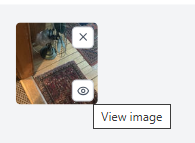
- Click View Image in your Lot Gallery
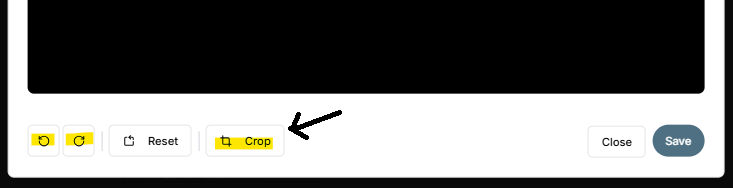
- Access crop and rotate tools
3. Search Buyer Invoices Easily
- Search by Name
- Search by Email
- Search by Phone
- Search by Invoice Number
- Located under Financial → Client Billing and Refunds
4. Download Excel Report of Items Sold (With Tags)
- Go to Settlement and Reports after auction closing
- Select: “Tags Report – Item Level by Tags”
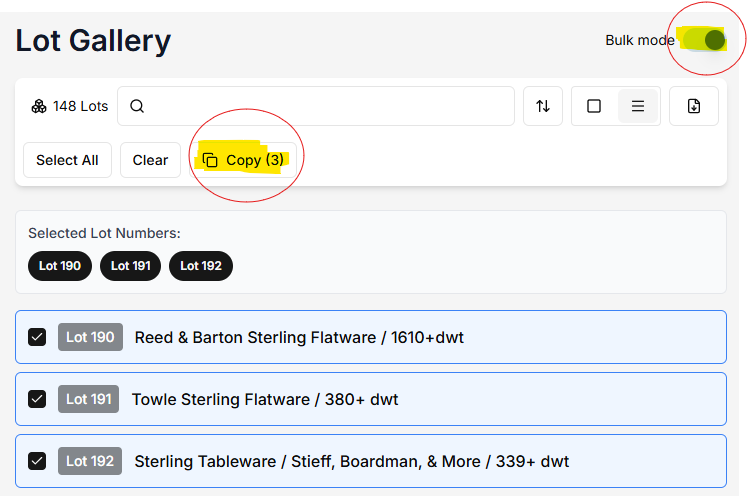
5. Compact View + Bulk View for Fast actions
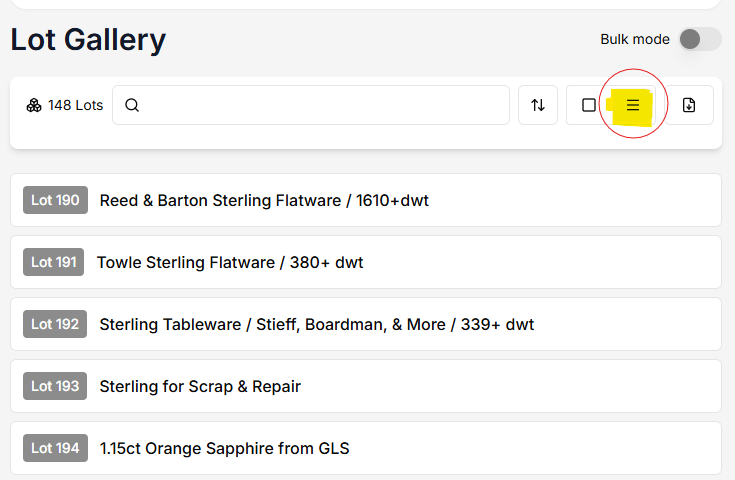
- Compact View - See more items at once for faster scanning.
- Bulk Mode - Copy lots from one auction to another.
- Helpful for Combining Auctions or Splitting Large Auctions
6. Pickup Report With Images
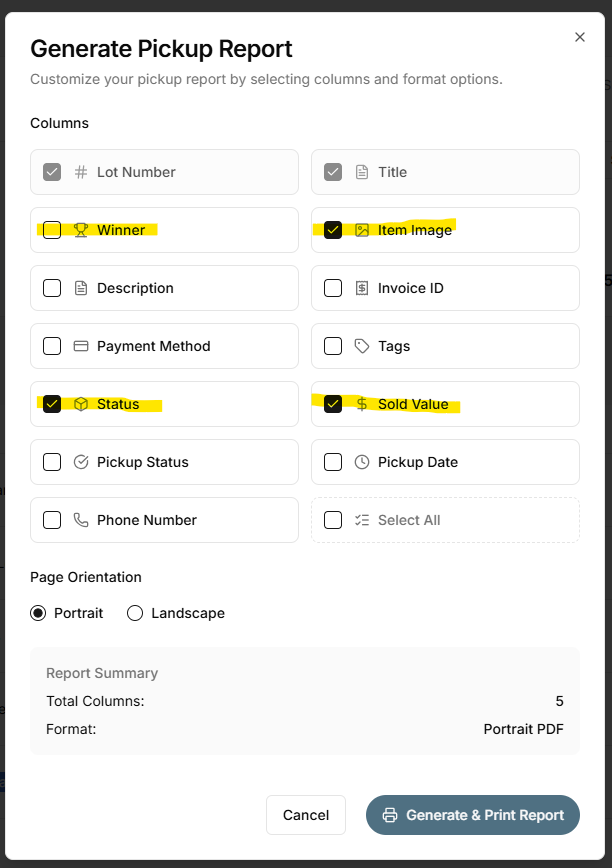
- Go to Settlement and Reports
- Select: Pickup Report PDF
- Uncheck: Winner Name
- Check: Image, Status, Sold Value
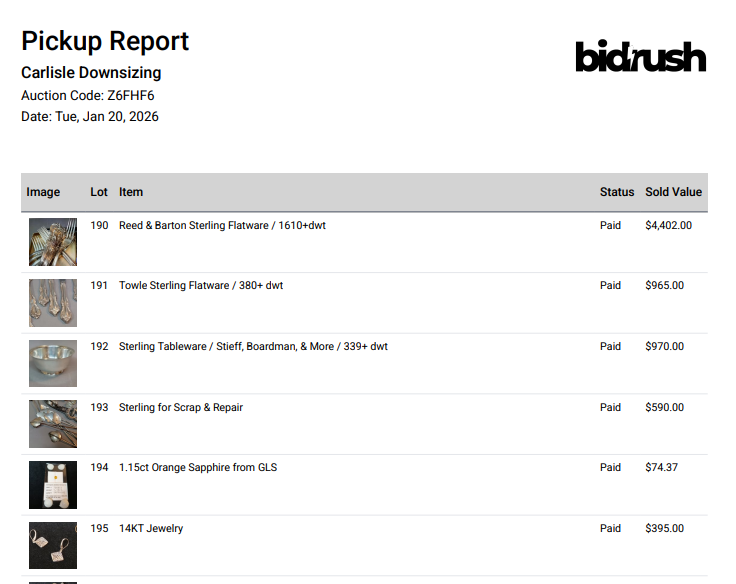
7. Client-Ready PDF Output - Professional, transparent reporting with photos included.
The report generates a clean PDF you can email directly to your clients.
8. Enhanced Settlement Report (“Income, Fees and Payout Summary”)
This report now provides more detail to assist with client payouts.
Reminder: You set the Buyer’s Premium — and you keep it.
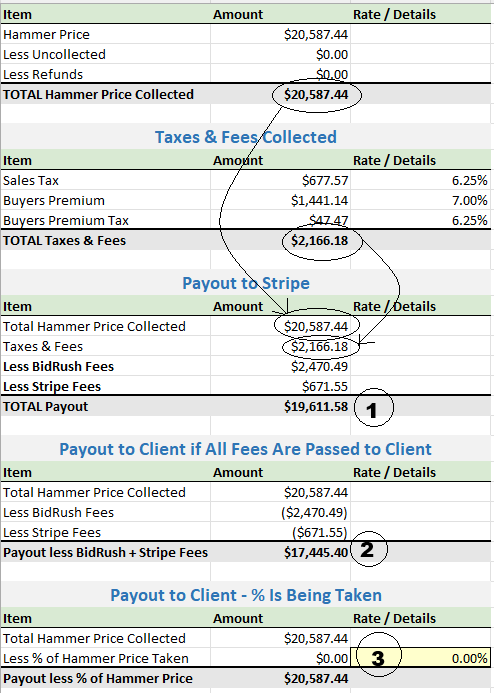
Figure marked 1 is what lands in your bank account*. This amount is the hammer price PLUS taxes and buyers premiums collected, less Fees (BidRush and Stripe fees).
NOTE: Seller set Buyers Premium, and keep the entirety of the proceeds!
Figure marked 2 is what you would send to your client if you pass on the fees to them*. (keeping the buyers premium for yourself, and keeping the taxes for remittance)
* double check your Stripe account to be 100% sure
Where it's Marked 3, enter an optional percentage markup (for example, 30%) if you’d like to increase the total charged to the client.
This calculation is especially useful for comparing total savings when switching from other providers that typically charge 20–30% seller fees and also retain an 18% buyer’s premium.
In this example: At a 30% fee, the seller saved $4,475 At a 20% fee, the seller saved $2,416 These savings include the 7% buyer’s premium, which the seller set and retained — rather than paying it to the platform. In addition, this partner passed $2,262 in savings to buyers by charging a 7% buyer’s premium instead of the typical 18%!
Updates for Buyers
1. Watchlist & Bids Now Grouped by Auction Name
- Lots are now grouped by Auction Name for easier tracking.
2. Closed Auction Watchlist / Bids moved to a separate page
- Watchlist and Bids from closed auctions now live on their own page.
3. Improved Bid Extension Stability
During bid extensions:
- When the timer counts down, you’ll be prompted to refresh specific lot(s)
- This ensures your device stays synced
- If connection drops, refresh retrieves the latest bid status
4. Rapid page and image loading
Thanks to infrastructure improvements:
- Faster image loading
- Faster auction page rendering
- Improved mobile performance
- Better stability during high-traffic closing times